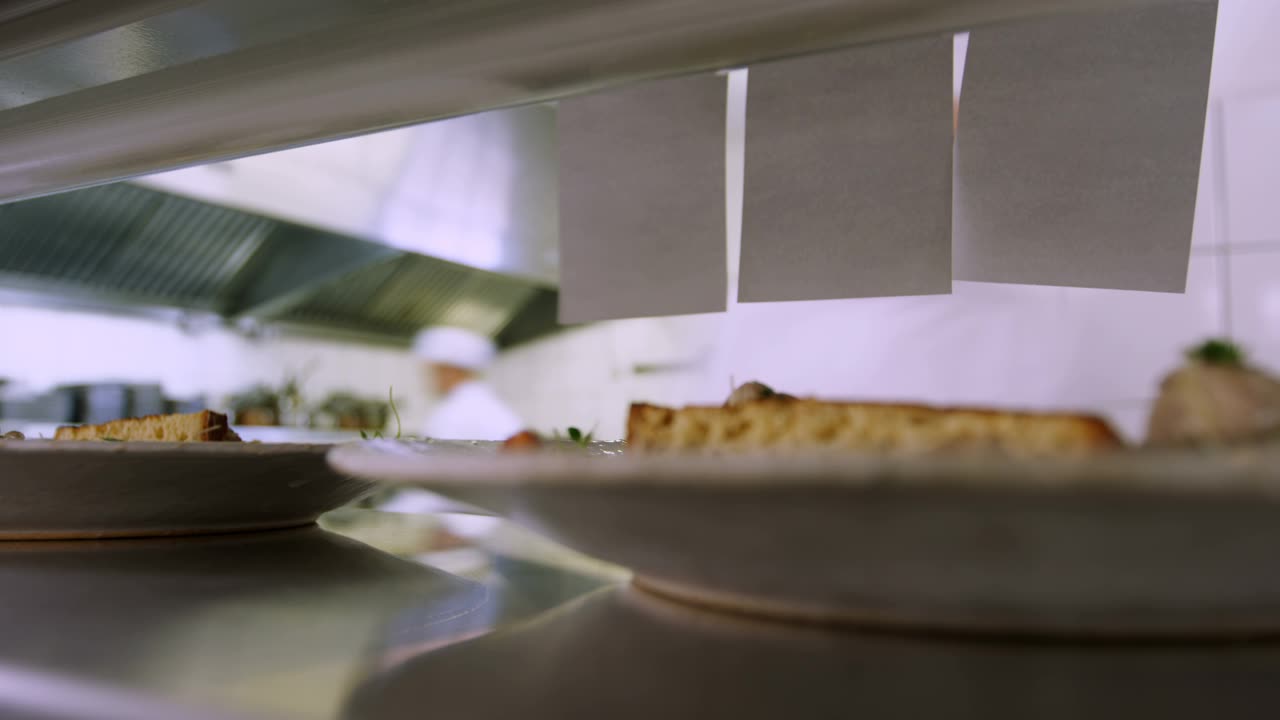
EPOS for restaurants
EPOS software and hardware for table service: table plans, handheld ordering, split bills and a kitchen that keeps up.
We fit restaurants with a till built around table service: a table plan that shows what’s happening at a glance, handheld ordering that skips the walk back to the till, and a kitchen screen that keeps courses moving in the right order. Whether you’re running a handful of tables or a full dining room across two sittings, the till should make service faster, not add another job for someone to manage.
What this trade needs from its till
A restaurant till has to keep pace with a full room. Table plans and course timing need to stay in step between front of house and the kitchen, so a table isn’t left waiting on a course nobody’s told the kitchen about. Splitting a bill several ways at the table shouldn’t hold up the next order, and walking back to a fixed terminal for every round of ordering slows service down once the room fills up. Bookings need to sit in one place too, so a no-show or a last-minute change doesn’t get lost in a paper diary. Allergen information has to be there at the point of ordering, not buried in a folder in the kitchen, and a menu that changes with the seasons needs to be quick to reprogram rather than a job that eats into a Sunday afternoon.
A typical setup
A main till for the floor, handheld devices for taking orders and payment at the table, and a kitchen screen so the pass isn’t relying on printed tickets. Add reservations if you take bookings, so the diary and the table plan work from the same system. We size the number of handhelds and screens to your covers, not the other way round, so a twenty-cover bistro and an eighty-cover dining room end up with setups that actually fit how each one runs a Saturday night. Smaller sites often start with one or two handhelds and add more as the floor grows, rather than buying for capacity they don’t use yet.
Kit we recommend
TouchPoint runs the floor, PocketTouch takes orders at the table and, with a supported payment provider, the payment too, and TouchKitchen keeps the pass moving without printed tickets, splitting food and drinks across separate screens where that suits the kitchen. TouchReservation reads the same floor plan as the till, so online bookings and walk-ins don’t clash, and a deposit can be taken at the time of booking to cut down on no-shows.
Where a restaurant would rather run a different range, we also fit CES Touch with OrderSoft for table ordering. OrderSoft is built to match CES Touch’s own screens, so staff move between the till and the handheld without retraining, and on Android it takes the payment on the same device as the order. Our usual hardware is the Oxhoo EVOQ 16:9 terminal with the Aures AIM Series for handheld ordering, and an Oxhoo KP21 kitchen display for a smaller kitchen or a second pass point.
Integrations that matter here
Booking platforms, card payments and delivery are the integrations restaurants ask us about most: live availability through Reserve with Google, card payment on an OrderSoft handheld through Dojo TaP, orders from Deliveroo landing straight in the kitchen queue, and sales feeding into Xero overnight so nobody’s re-typing the till report into the accounts. See the full range in our integrations directory.
Support after we fit it
Installation and training happen before service starts, so your team is comfortable with the till before a paying table sees it. We support restaurants across the North West from our base in Runcorn, so a call-out doesn’t mean a long wait for an engineer, and day-to-day help runs through one of our support packages once you’re up and running.
A shift in service
A booking comes in on the reservation system and the table plan updates itself. Orders taken at the table on a handheld land straight at the pass, courses fire in sequence on the kitchen screen, and the bill splits however the table asks, all without anyone leaving the floor to use a fixed till. By the end of service, the kitchen’s cleared every ticket, front of house hasn’t lost a booking to a diary nobody could find, and the night’s figures are ready before the last table’s even left.
- Table plans and course timing need to stay in sync between front of house and the kitchen.
- Splitting a bill several ways at the table shouldn't hold up the next order.
- Walking back to a fixed terminal for every order slows service down.
- No-shows and last-minute changes are hard to manage from a paper diary.
- Card payments taken at the table need to match the till's totals without manual checking at the end of a shift.
TouchPoint — ICRTouch software
TouchPoint is the till software at the centre of an ICRTouch install — everything else in the range plugs into it.
View softwarePocketTouch — ICRTouch software
PocketTouch is the waiter's handheld — orders go straight to the kitchen and the till with no re-keying, and no paper pad to lose.
View softwareTouchReservation — ICRTouch software
TouchReservation is a hosted booking engine that reads your TouchPoint floor plan, so tables book themselves in around what's already reserved.
View softwareTouchKitchen — ICRTouch software
TouchKitchen replaces kitchen printers with an order screen, so nothing gets lost and every course comes out on time.
View softwareCES Touch
The core CES till software — modular, hardware-agnostic, and shaped to your sector by the modules you switch on.
View softwareOrderSoft
CES Software's order-at-table app — takes the order, prints the bill and, on Android, takes the payment too, all from the same handheld.
View softwareOxhoo EVOQ 16:9 POS terminal
Oxhoo's mainstream 15.6in widescreen terminal for busy retail and hospitality counters.
View hardwareAures AIM Series mobile POS tablets — RED EPOS
Rugged handheld tablets for order-taking on the move — 8-inch and 10.1-inch, in Android or Windows.
View hardwareOxhoo KP21 kitchen display
A 21.5in touchscreen kitchen display with a slim, removable compute module.
View hardwareAures YUNO II POS terminal — RED EPOS
Aures' flagship counter terminal — fanless, tool-less to open, and built to run either of our till software ranges all day, every day.
View hardwareQuestions we get asked
Yes, with a handheld device that sends the order straight to the kitchen screen and takes payment at the table.
Yes. Bills split by item, by seat or evenly, right from the table or the till.
Yes. Bookings, table plans and no-show tracking run from the same system, so front of house isn't juggling a separate diary.
Yes, on a kitchen screen that shows what's ordered, what's fired and what's running late.
No. CES Software's CES Touch and its OrderSoft app for table orders suit some restaurants just as well, and we'll talk through both before you decide.
Talk to us about your setup
Tell us how your restaurant runs and we will tell you what we would fit. No obligation — we aim to reply within one working day.
Please don't send passwords by WhatsApp, text or email. We'll ask for them by phone, or you can type them in yourself during the remote session.