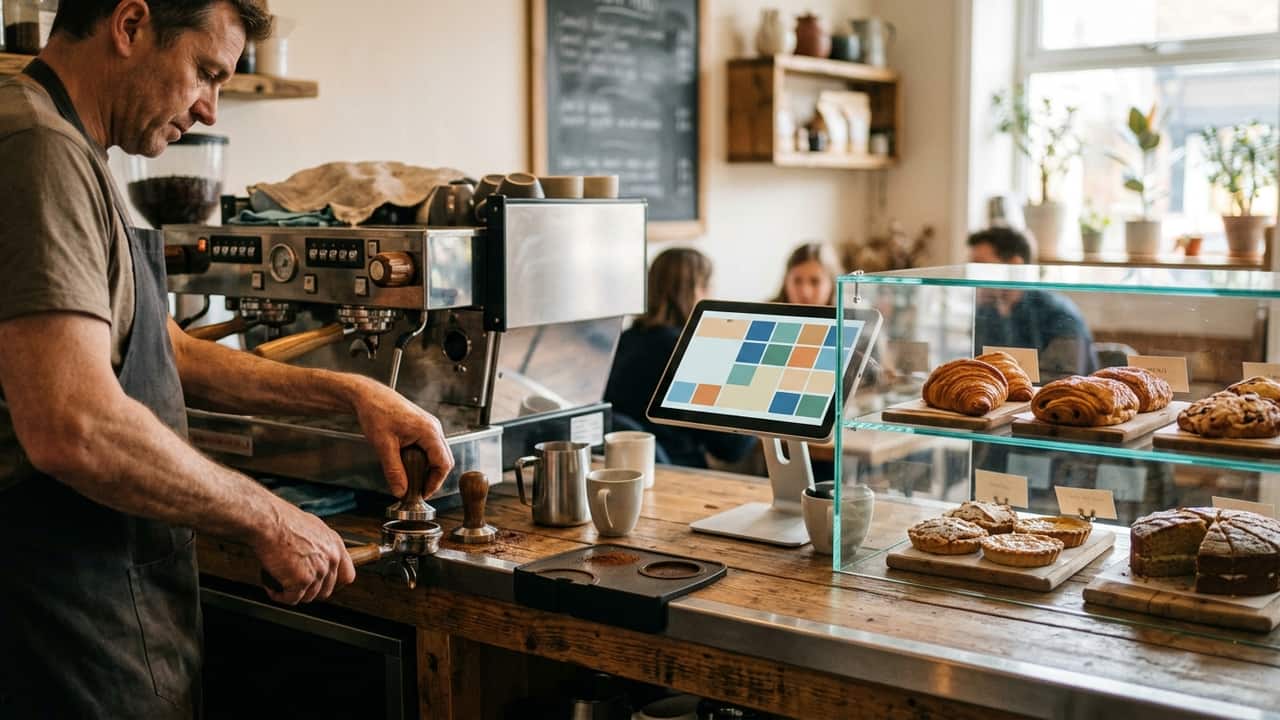
EPOS for cafés and coffee shops
EPOS software and hardware for a fast counter: quick order entry, loyalty that keeps regulars coming back, and stock that doesn't run out.
We fit cafés and coffee shops with a till built for a fast counter: quick order entry for a morning queue, loyalty that keeps regulars coming back, and stock control so your best sellers don’t run out before lunch. It’s as much about keeping a small team moving through a rush as it is about the till itself.
What this trade needs from its till
A café counter lives and dies on the morning rush. Order entry has to be fast enough that a queue out the door doesn’t grow any longer, and a new starter or a student on their first shift needs a layout they can pick up straight away, without a manager stood over their shoulder. Regulars want to be recognised without a paper stamp card that’s easy to lose, and running out of a best-selling bake mid-morning costs a sale you don’t get back later in the day. Prices and product lists change often enough in a café — a new seasonal drink, a supplier price rise — that updating them shouldn’t mean reprogramming the whole till from scratch.
A typical setup
A compact counter terminal, a loyalty scheme customers can join in seconds, and stock control that flags what’s running low before the shelf is empty. Most cafés and coffee shops pair this with simple sales reporting to see which items and times of day drive the most trade, and a digital menu board that updates itself the moment something sells out. Some add ordering from a table or a phone for customers who’d rather sit down than queue twice, though plenty run counter-only and never need it.
Kit we recommend
TouchPoint runs the counter, with TouchOffice Web behind it for reporting, stock and remote price changes, and menu and display boards that update themselves whenever a price or a sold-out item changes on the till, so nobody’s rewriting a chalkboard mid-morning. Where customers order ahead or from a table, ByTable takes that without a marketplace commission eating into the sale.
For a small, single-counter café that doesn’t need a full back-office till, we also fit CES Edge, which runs the whole thing from a handheld device rather than a fixed terminal. Our usual hardware is the Oxhoo SMART, a compact all-in-one with the printer and customer display built in, which suits a counter where space is tight, or the Oxhoo JOON 16:9 where you’d rather have a bigger screen with the printer still built into the case.
Integrations that matter here
Card payments through Dojo, Apple Pay at the till or in the app, accounts software through Xero and a loyalty scheme like Como Loyalty are the integrations cafés and coffee shops ask about most, usually in that order of priority. See the full range on our integrations page.
Support after we fit it
We handle installation and training before your first morning service, and menu programming gets your prices loaded in so nothing needs typing in on day one. We’re based in Runcorn and support cafés across the North West, and ongoing help runs through one of our support packages if a fault or a question comes up once you’re trading.
A shift in service
The doors open and the first coffees go through the till in seconds. Regulars tap their loyalty card without being asked, a part-time member of staff runs the counter confidently on a layout built around your menu, and by mid-morning the manager can see, at a glance, which bake needs restocking before the lunch rush. By the time the afternoon lull arrives, the day’s sales and stock position are already sitting in the report, rather than something to work out at closing time.
- A morning queue needs order entry that's fast enough not to slow the line down.
- Regulars expect to be recognised, but a paper stamp card is easy to lose.
- Running out of a best-selling bake mid-morning costs sales you can't get back.
- Part-time and student staff need a layout they can learn in a single shift.
- A price change or a sold-out item shouldn't mean reprinting a menu board by hand.
TouchPoint — ICRTouch software
TouchPoint is the till software at the centre of an ICRTouch install — everything else in the range plugs into it.
View softwareTouchOffice Web — ICRTouch software
TouchOffice Web is the cloud back office for your ICRTouch till, reachable from any browser — reporting, stock, staff hours and remote programming.
View softwareByTable — ICRTouch software
ByTable gives your business its own branded ordering app so customers order and pay from their phone, with no per-order commission to a third party.
View softwareMenu and display boards — ICRTouch
TouchMenu and Digital Signage drive your menu and promotional screens from the same product file as the till, so nobody reprints a board by hand.
View softwareCES Edge
CES Software's mobile POS app for Clover handhelds — orders, payments and receipts from a device that fits in your pocket.
View softwareOxhoo SMART compact POS terminal
An 11.6in all-in-one with a built-in printer and customer display, for small shops.
View hardwareOxhoo JOON 16:9 POS terminal with printer
An all-in-one 15.6in terminal with an 80mm receipt printer built in.
View hardwareOxhoo TP90 receipt printer
A top-loading 80mm thermal receipt printer for the counter.
View hardwareQuestions we get asked
Yes. Order entry is built for speed, with a layout designed around your most-ordered items so the queue keeps moving.
Yes, with a digital loyalty scheme that tracks visits and rewards automatically.
Yes. Stock levels and reordering run from the same system as the till, so you can see what needs restocking before it runs out.
Yes. The layout is built around your menu, so a new starter can be taking orders confidently within a shift.
Yes. CES Edge runs a full till on a single handheld device, which suits a small café or coffee shop that doesn't need a back-of-house system as well.
Talk to us about your setup
Tell us how your café or coffee shop runs and we will tell you what we would fit. No obligation — we aim to reply within one working day.
Please don't send passwords by WhatsApp, text or email. We'll ask for them by phone, or you can type them in yourself during the remote session.