Bespoke software, integration and AI

Systems that already talk to each other

Every business I walk into has the same problem in a slightly different shape. Good systems, bought for good reasons, none of them aware the others exist. This page is about what I do with that.

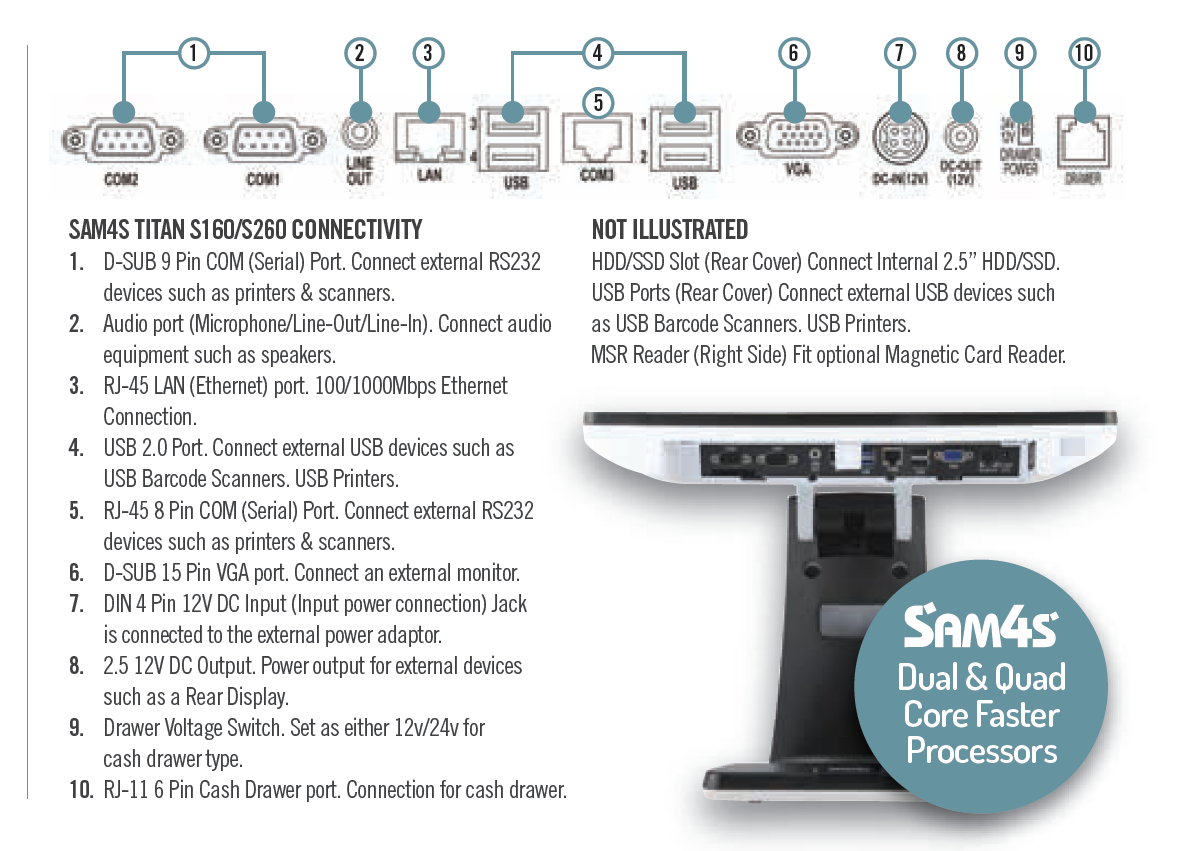
Connectivity diagram of an EPOS terminal showing its serial, USB, network, display and cash drawer ports

01/ The awkward bit

Start with the awkward bit.

The duplicated task. The report nobody trusts. The system that will not speak to the other one. That is usually where the best project begins.

Picture a Tuesday. The till has taken £1,840. Someone runs the Z-read and types the total into a spreadsheet. On Thursday the spreadsheet gets typed again into the accounts package, and £1,840 goes in as £1,480 because it was late and the numbers looked similar. Nobody finds it until the VAT return.

Now the counter in a busy takeaway. The till, a tablet for one delivery platform, a tablet for another, both beeping. Someone reads an order off a screen and keys it into the till so the kitchen gets a ticket. At half past eight on a Friday, that person is the bottleneck in the whole business.

Now the stock count. The shop floor says fourteen, the back office says eleven, and the website says nine and is still selling them. Three systems, three answers, and no way to know which is right without counting the shelf by hand.

Nothing there is broken. The problem is the gap between them, and the gap is currently filled by a person with a keyboard. That person costs money, gets tired, and makes small errors that surface weeks later. That gap is what I remove.

02/ What gets connected

What gets connected.

  1. 01

    EPOS into your accounts package

    Xero, Sage and QuickBooks all have proper APIs, and so does ICRTouch. The daily figures can move across on their own.

  2. 02

    Delivery platforms into the till and the kitchen

    This is the one I work with most, through TouchTakeaway.

  3. 03

    Shop floor and website in step

    Sell the same goods over a counter and through a WooCommerce site and you have two sets of stock and two sets of prices. They drift apart within a week.

  4. 04

    Getting data out of a closed till system

    Tills are built to be tills, not to hand their data to anything else, and that is deliberate. But the data is in there, and with the right approach it comes out cleanly without putting a trading day at risk.

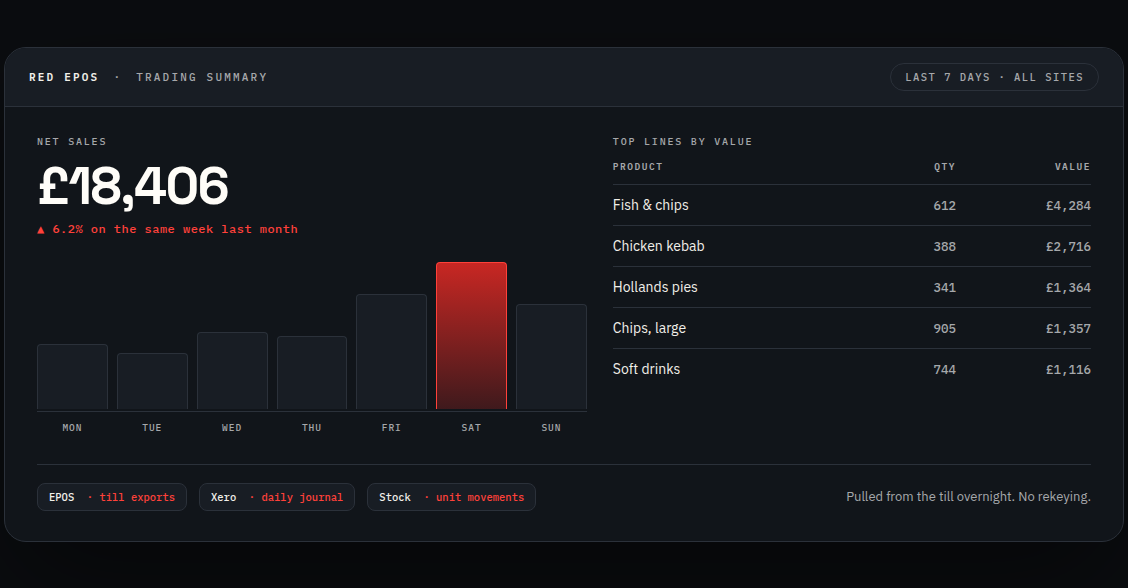
Example trading summary pulled from the till: net sales, a daily bar chart and top lines by value

EPOS into your accounts package

What gets connected: takings by department, Z-read totals, payment types split into cash, card and account, VAT by rate, and stock values where the till is holding them.

What changes day to day: nobody types a Z-read into anything. The numbers land already coded to the right nominals, at the same time every day, in the same format. A missing day is visibly missing, which is not true of a spreadsheet. The quarterly VAT job stops being an archaeology exercise.
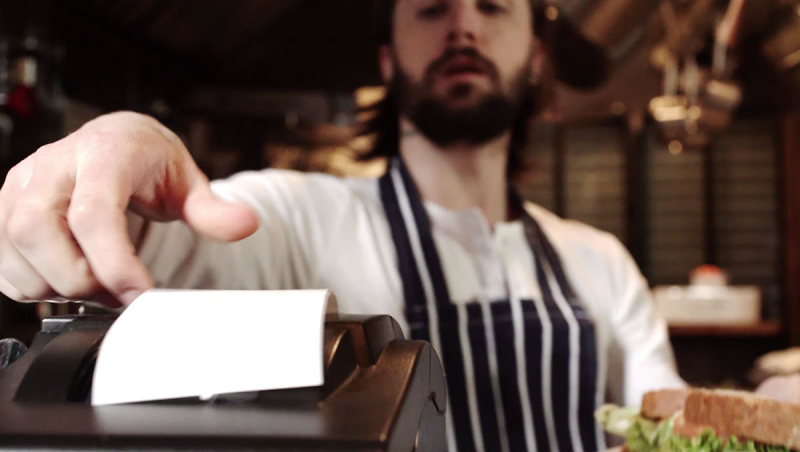
A chef tearing an order ticket from a kitchen printer

Delivery platforms into the till and the kitchen

What gets connected: Deliveroo and Just Eat order channels feeding the till, so an order is a real transaction in your system rather than a note somebody has to retype. The kitchen gets a ticket or a line on the kitchen screen automatically. The back office sees platform orders alongside counter orders.

What changes day to day: the tablet farm comes off the counter. Nobody transcribes orders during the rush, which is exactly when transcription goes wrong. The end-of-day figures include everything, and price changes only have to be made once.

This does not mean giving up the platforms. Plenty of shops want the reach they bring and their own ordering site as well, and the two run side by side.

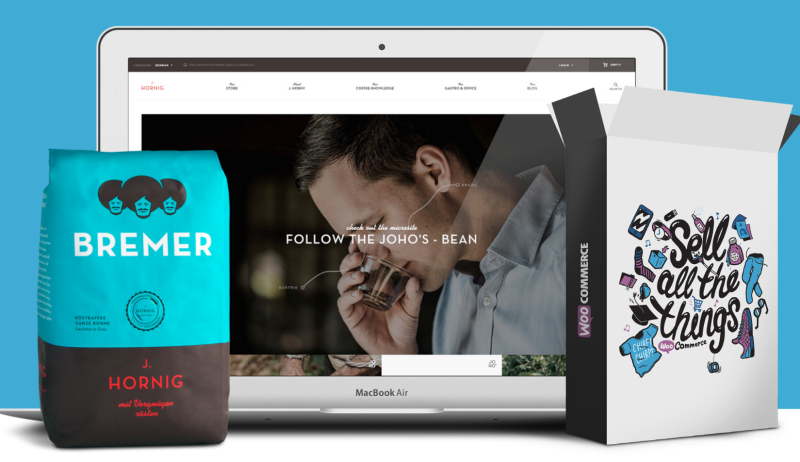
An online shop front shown on a laptop next to the physical product packaging

Shop floor and website in step

What gets connected: stock levels, prices and product records, moving in whichever direction suits how you work. Usually the till is master for stock, because that is where the movement happens, and the website follows.

What changes day to day: you sell the last one on the counter and the website takes it out of stock on its own. A price change gets made once. You stop taking orders you cannot fulfil, which is the expensive version of this problem, because a refund plus an apology costs more than the margin on the sale.

Not limited to WooCommerce. If your website runs on something else and it has an API, it is worth a conversation.

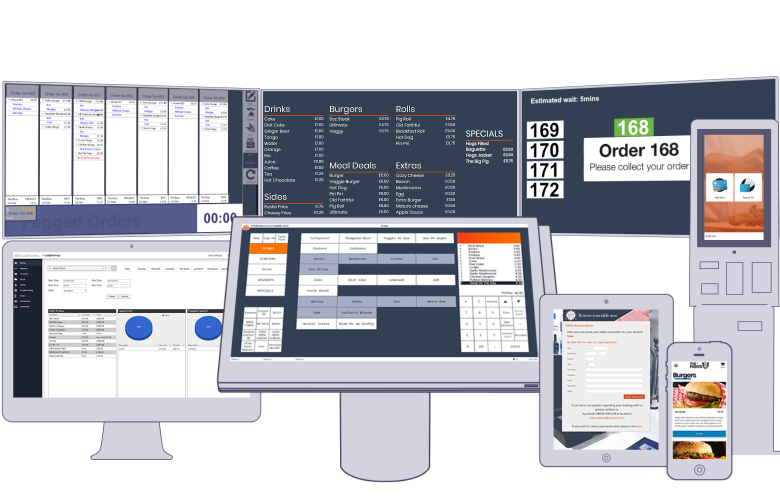
The same live order and sales data shown on a desktop monitor, a tablet and a phone

Getting data out of a closed till system

What gets connected: sales, product mix, staff performance, hourly trade patterns, wastage and voids. Whatever the system is holding.

What it becomes: a live dashboard on a phone. A report that emails itself at six every morning with yesterday’s numbers laid out. A feed into a rota system, a stock ordering system, or a spreadsheet you already trust. Multi-site owners usually want one screen showing every site, because the alternative is logging into four back offices before breakfast.

The point is not the dashboard. It is that you stop deciding on a feeling and a rough total.

Systems that get connected

Accounting
Xero, Sage, QuickBooks
Card payments
Paymentsense, Sage Pay, Dojo
Delivery platforms
Deliveroo, Just Eat
E-commerce
WooCommerce
Table bookings
ResDiary
EPOS
ICRTouch, CES Software

If it has an API, webhook, database or usable export, there is usually a sensible way to bring it into the flow.

03/ The practical AI advantage

The question is no longer “what can AI do?”

It is: where can it make a real difference in your business?

AI is changing the software landscape quickly. The businesses working out now what it can do will understand where it belongs, where it does not, and how to use it before the advantage becomes the expectation.

What I build with it is narrow and specific. AI combined with your own approved business information and your existing systems, so it can help with work that used to mean hours of searching, copying and cross-checking.

That word “approved” is doing a lot of work in that sentence, and it is deliberate. Nothing goes into one of these until you have said what it is allowed to see.

A second brain for the business Six business systems — EPOS, accounts, online ordering, bookings, stock and payments — each connected by a line into a single central core, which answers questions and links back to the original records. One core ONE ANSWER links back to source EPOS tills & takings ACCOUNTS Xero · Sage · QuickBooks ONLINE ORDERS web · delivery apps BOOKINGS tables & reservations STOCK shop floor & online PAYMENTS card & terminals
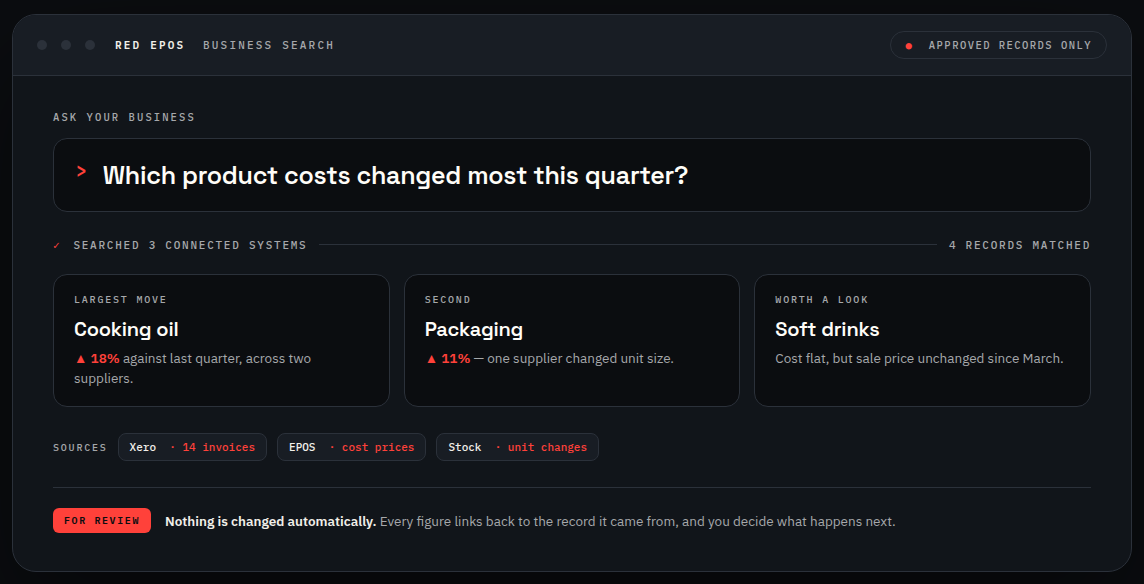
An example business search screen. A typed question about which product costs changed most this quarter, a note that three connected systems were searched, three result cards, source chips for Xero, EPOS and Stock, and a footer explaining that nothing is changed automatically and that every figure links back to the record it came from.
Example: business search across connected records. Sample data.

Search

Ask across your own records.

Find transactions, suppliers, trends or exceptions across the systems you have already connected. Every answer comes back with a link to the underlying record, so you can open the source and check it. If you cannot trace an answer, you should not act on it, and these are built on that basis.

For example: which supplier’s prices moved most this quarter, answered from your own purchase records, with the invoices listed underneath.

Analyse

Compare periods and see what changed.

Compare one period against another, summarise how a product line or a site performed, and surface the patterns worth a closer look. It tells you where to look. You decide what it means, because it does not know about the roadworks outside or the fortnight you were short staffed.

For example: a plain summary of last month against the same month last year, ending in three questions worth asking rather than three conclusions.

Draft

From a blank page to a first draft.

Customer replies, reports and process notes drafted in your own tone, ready for a person to read, change and approve before anything is sent. The draft is a starting point, never the final word.

Where the human stays

AI should assist accountable people, not replace oversight. Every solution is shaped around permissions, privacy, source visibility and a clear human decision point.

In practice that means three things. Permissions, so the tool can only see what the person asking is already allowed to see. Source visibility, so any answer can be traced back to the record it came from. And a named point where a person reads it, decides and signs it off, which is written into how the thing is built rather than left to good intentions.

What I will not build

Anything that makes a decision about a person on its own. No automated hiring, performance or disciplinary decisions, no automated scoring of staff or candidates. Those decisions need a human being accountable for them, and putting a model in that seat is both the wrong use of the technology and the wrong side of the law.

If someone offers to build you that, ask them who is answerable when it gets one wrong.

I also will not tell you how many hours a week it will save you, because I have not measured it in your business and neither has anyone else.

04/ When the app does not exist

Building the piece that is missing

Sometimes there is nothing to connect, because the thing you need has never been built. That is the other half of this work.

When the right application does not exist, I build it. Internal web tools, mobile apps, operational dashboards and customer-facing systems designed around your people, your information and the decisions they make.

The best example I can give you is one I built for myself. The RED EPOS Help Desk came out of a real operational need: support tickets, booked visits, deadlines and updates all visible across the desk, the calendar and the phone. It exists because nothing off the shelf did the job the way the work actually runs. You can see it on the support page.

See the Help Desk

05/ How we work

How a job actually runs

No two of these are the same, so there is no fixed package. But the shape is consistent, and it is the same four steps every time.

Step 01 · Understand

Map the work, the people and the real decision points.

Step 02 · Connect

Reuse the good systems and create a reliable flow between them.

Step 03 · Build

Develop only what is missing, then test it against the working day.

Step 04 · Improve

Support the solution and keep adapting it as the business changes.

  1. Understand

    That starts with a phone call, usually twenty minutes, in which you tell me what systems you run and what keeps getting typed twice. Nothing is committed and nothing is charged. Then I need to see the systems properly, usually over a remote session: does your version have the API, is it licensed for it, is there a network in the building that can be relied on. Jobs get re-scoped here, which is far better than halfway through. At the end of it you get a written scope and a fixed quote, so the number does not move while the work is going on.

  2. Connect

    Your existing software stays. I would rather link three systems that already work than replace them with one that nobody knows how to use.

  3. Build

    The build happens away from your live system, against a copy of your data wherever that is possible. Then it gets tested against your real figures, which is what separates a working integration from a demonstration. Test data behaves. Yours does not: the product somebody set up wrong in 2019, the refund processed twice, the department nobody uses any more. I check the totals match before it goes anywhere near live, and it goes live outside trading hours.

  4. Improve

    You get a short written note of what it does, where it runs and what to do if it stops. Then it is supported like anything else I have installed: ring the number, or raise it on the helpdesk.

06/ What cannot always be done

What cannot always be done

Not every system can be integrated, and anyone who tells you otherwise has not looked.

Some software has no API at all. Some has one, but the vendor charges for access or keeps it to their own partners. Some gives you a nightly export when you need live. An older system on a machine under the counter with no reliable network is a job in itself before any integration starts. And occasionally a link is possible but saves so little that the money is better spent elsewhere.

I will tell you which of those you are looking at on the first call. That is genuinely what the first conversation is for, and it is a cheaper answer for both of us than finding out three weeks in.

07/ What I need from you

What I need from you

Access to the systems being connected, or the name of whoever controls them. Logins arranged through you rather than guessed at. Someone in the business who can answer questions about how you actually work, because how a business works and how its software is configured are rarely the same thing. And a decision on where the truth lives when two systems disagree, which sounds abstract until the first time they do.

08/ Tell me what does not connect

Let’s make the work flow.

Describe the systems you run and the job that keeps getting done twice. I will tell you whether it can be connected and what it would take.